October 19, 2026



 Written by Watch TV Direct
Pick TiviMate if you watch on a Firestick, Fire TV or Android TV box and want a guide that looks and feels like cable TV. Pick IPTV Smarters Pro if you also watch on an iPhone, iPad or Samsung TV, or you want one free app across every screen in the house.
Both are players, not TV services. Neither comes with channels: you log in with the details your IPTV provider gives you, and the app shows what your subscription includes. That’s also why you don’t have to choose forever. The same login works in both, so you can try each one for an evening before you decide.
| If you… | Choose |
|---|---|
| Watch mostly on a Firestick, Fire TV or Android TV | TiviMate |
| Want a full TV guide you can scroll like cable | TiviMate |
| Want to record shows on a schedule | TiviMate Premium |
| Watch on an iPhone, iPad or Samsung TV | IPTV Smarters Pro |
| Don’t want to pay anything for the player | IPTV Smarters Pro |
| Want four channels on screen at once for free | IPTV Smarters Pro |
| TiviMate | IPTV Smarters Pro | |
|---|---|---|
| Price | Free version, plus Premium as a yearly or one-time lifetime purchase | Free on most devices |
| Devices | Android TV, Google TV, Firestick, Fire TV, Android boxes | Android, Firestick, iPhone, iPad, Samsung TV and more |
| Look and feel | Cable-style grid guide, built for a remote | Tiles for Live TV, Movies and Series |
| TV guide (EPG) | Fast full-grid guide, with extra guide sources in Premium | Good, loads from your provider |
| Catch-up | Premium, if your provider supports it | Yes, if your provider supports it |
| Recording | Premium, scheduled and recurring | On Android devices |
| Several channels at once | Multi-view in Premium | Multi-screen, up to four |
| More than one playlist | Premium | Yes |
| Login types | Xtream Codes, M3U | Xtream Codes, M3U, local file |
Features and prices checked in September 2026. Both apps update often, so small details can change.
TiviMate was built for a TV and a remote, and it shows. The guide is a proper grid: channels down the side, times across the top, and you can move through it as fast as you’d flick through cable. For anyone who grew up with a TV guide, it feels familiar within a minute.
The catch is the price and the platform. Most of what makes TiviMate special sits behind Premium, which is bought through the TiviMate Companion app. The lifetime option was about $34 at the time of writing and covers up to five devices. And it only runs on Android-based TV devices: there is no version for iPhone, Apple TV, Roku, Windows or Mac.
IPTV Smarters Pro is the app most people meet first, because it runs almost everywhere and costs nothing. It splits your subscription into Live TV, Movies and Series, which makes it easier to use if your family watches more on-demand than live channels.
Its weak spot is the live guide. It’s fine for checking what’s on now and next, but scrolling through a full evening across hundreds of channels is slower and less comfortable than in TiviMate. There’s also a naming problem: app stores are full of copies with similar names. The real one is published by WHMCS Smarters, and anything else is best left alone.
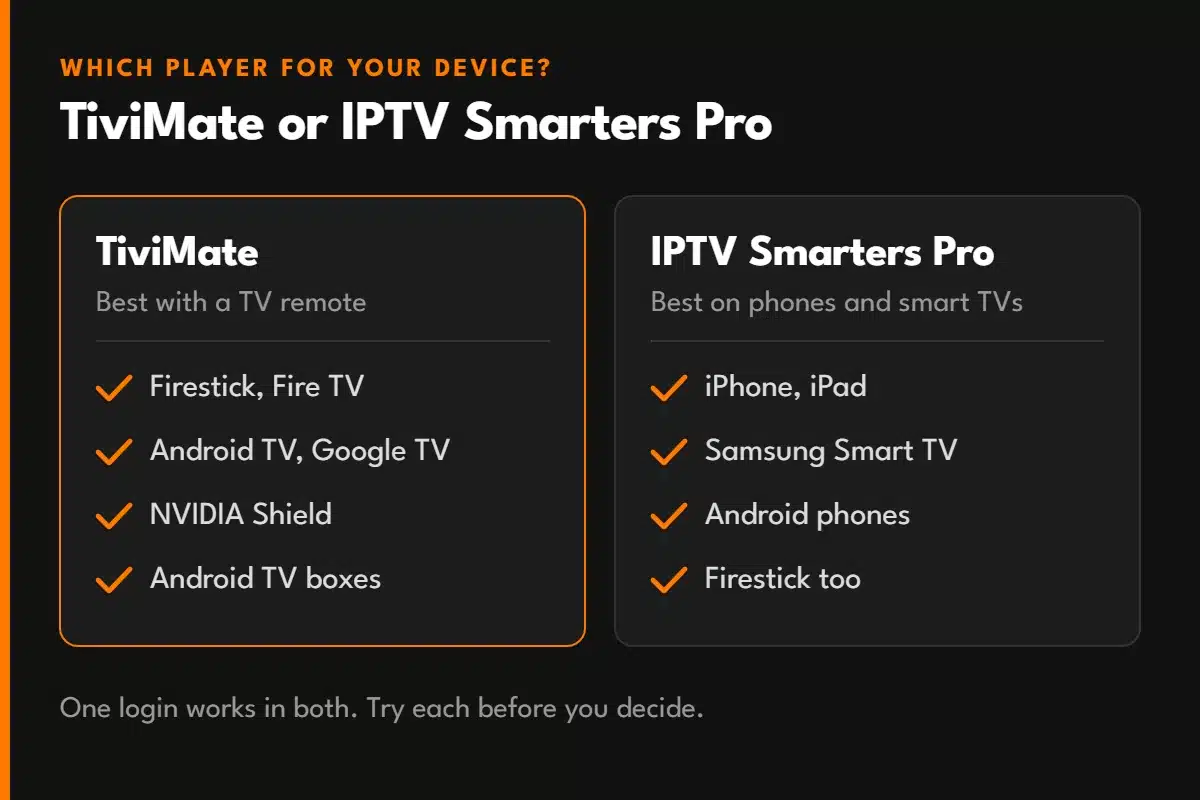
| Device | Best choice | Why |
|---|---|---|
| Firestick and Fire TV | TiviMate | Fastest guide and channel changes on a remote. Smarters works well too. Not on Vega OS models |
| Android TV, Google TV, NVIDIA Shield | TiviMate | Built for exactly these devices |
| Samsung Smart TV | IPTV Smarters Pro | TiviMate doesn’t run on Samsung’s Tizen system |
| LG Smart TV | Check your TV’s app store | TiviMate isn’t available. Smarters availability depends on your region and model |
| iPhone and iPad | IPTV Smarters Pro | TiviMate has no iOS version |
| Android phone | IPTV Smarters Pro | TiviMate is designed for TV screens, not touch |
On a Firestick, neither app is in the Amazon Appstore, so both are installed with the Downloader app. Only download from the developer’s own website. One exception matters in 2026: Amazon’s newer budget sticks run Vega OS, which can’t install apps from outside the Appstore at all, so neither player will work on them. This includes the Fire TV Stick 4K Select and the 2026 Fire TV Stick HD. You can check which system yours runs under Settings, My Fire TV, About, and our Firestick guide covers what to do if an app is blocked. If your TV isn’t listed here, our guide to watching live TV on smart TVs covers each brand.
The setup is the same in both apps, and it takes about two minutes. Your provider sends you one of two kinds of login:
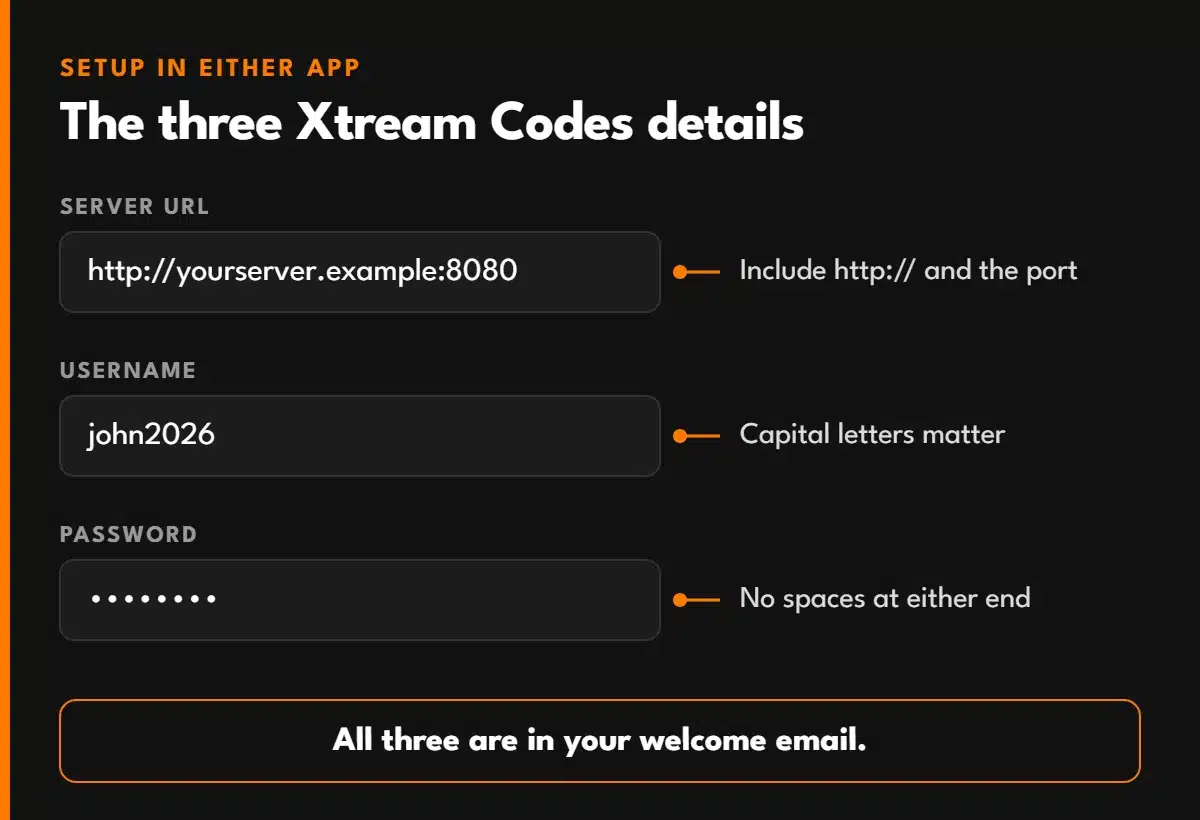
Choose Xtream Codes on the app’s login screen, type the three details exactly as sent (capital letters matter), and give the app a minute to load the channels and guide the first time. If you’re not sure what each field means, our Xtream Codes guide explains all three, plus the five most common login errors.
One thing to watch: using both apps at the same time counts as two connections. If your plan allows one screen, close one app before opening the other, or the second stream will refuse to start.
Works With TiviMate and Smarters
Every Watch TV Direct plan includes Xtream Codes and M3U logins, so you can use whichever player you prefer. Our support team will help you set it up on your device. Try it risk-free, with a full refund within 48 hours for any reason.
See Plans| Problem | Likely cause | Fix |
|---|---|---|
| TiviMate won’t let me add a second playlist | The free version allows one | Premium, or remove the old playlist first |
| The guide is empty | The guide hasn’t loaded yet, or the M3U login has no guide link | Refresh the guide in settings, or switch to an Xtream Codes login. More EPG fixes |
| Channels load but won’t play | Connection limit reached or account expired | Close the other app or device, then check your expiry date |
| Several apps called “Smarters” in the store | Copies with similar names are common | Check the developer is WHMCS Smarters before installing |
| Recording option is missing | Free TiviMate, or Smarters on a device without recording | Upgrade TiviMate, or record on an Android device |
If nothing plays in either app, the problem isn’t the player. Run the 60-second outage check to find out whether it’s your internet, your device or the service.
There is a free version, but it’s limited to one playlist and leaves out recording, catch-up and multi-view. Most people who stick with TiviMate end up buying Premium through the TiviMate Companion app.
Not better, just different. TiviMate has the stronger TV guide and recording. Smarters runs on more devices and is free. On an Android TV device, TiviMate is usually the better fit. On iPhones and Samsung TVs, Smarters is the practical choice.
No. TiviMate only runs on Android-based devices. On iPhone and iPad, IPTV Smarters Pro is available in the App Store.
Yes. The same Xtream Codes or M3U details work in both. Just remember that each app playing at the same time uses one of your plan’s connections.
Yes. Both are media players, like a video app on your computer, and neither supplies any channels. What matters is where your channels come from, so use a provider that is clear about its service, its support and its refund policy.
© 2026 Watch TV Direct, Inc. All rights reserved.