October 19, 2026


 Written by Watch TV Direct
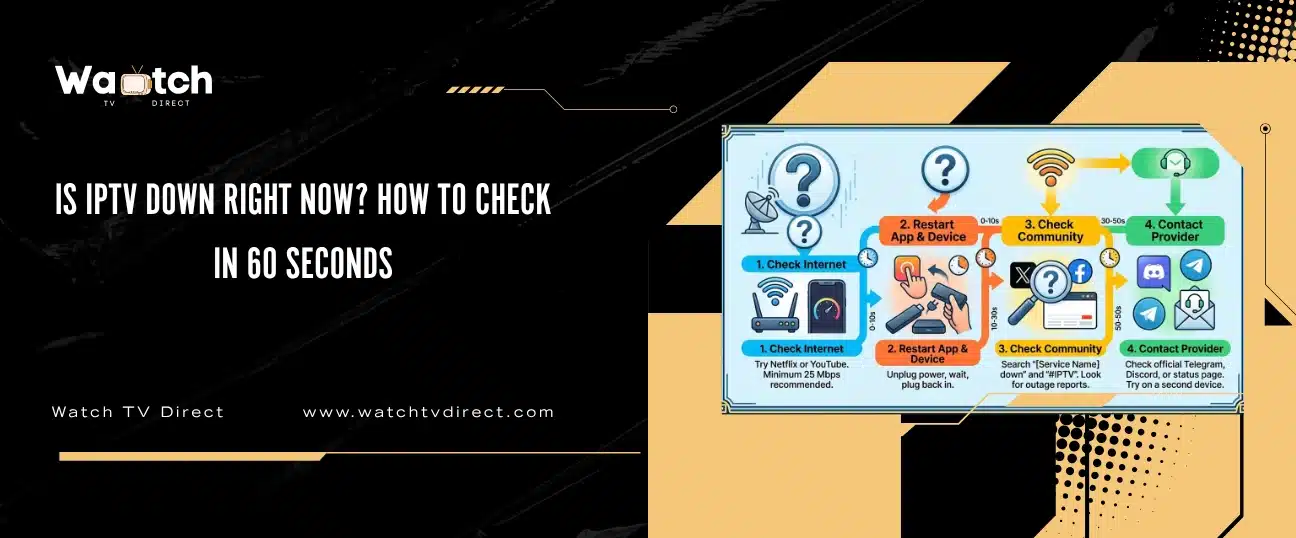
If your channels stopped loading, there are only three possibilities: your internet, your device or app, or your provider’s servers. You can tell which one in about a minute, without any technical knowledge, by running four quick checks in the order below.
This is the same order our support team uses when a message comes in saying “nothing is working”. Most of the time the problem turns out to be on the viewer’s side and takes two minutes to fix. When it really is the provider, the checks below tell you that too, so you stop resetting things that aren’t broken.
Provider down again?
You don’t have to wait for it to come back. Keep your device and your app: we send a new login on WhatsApp, usually within 5 minutes, and help you set it up. Full refund within 48 hours if it’s not for you.
See IPTV PlansSwitch on WhatsApp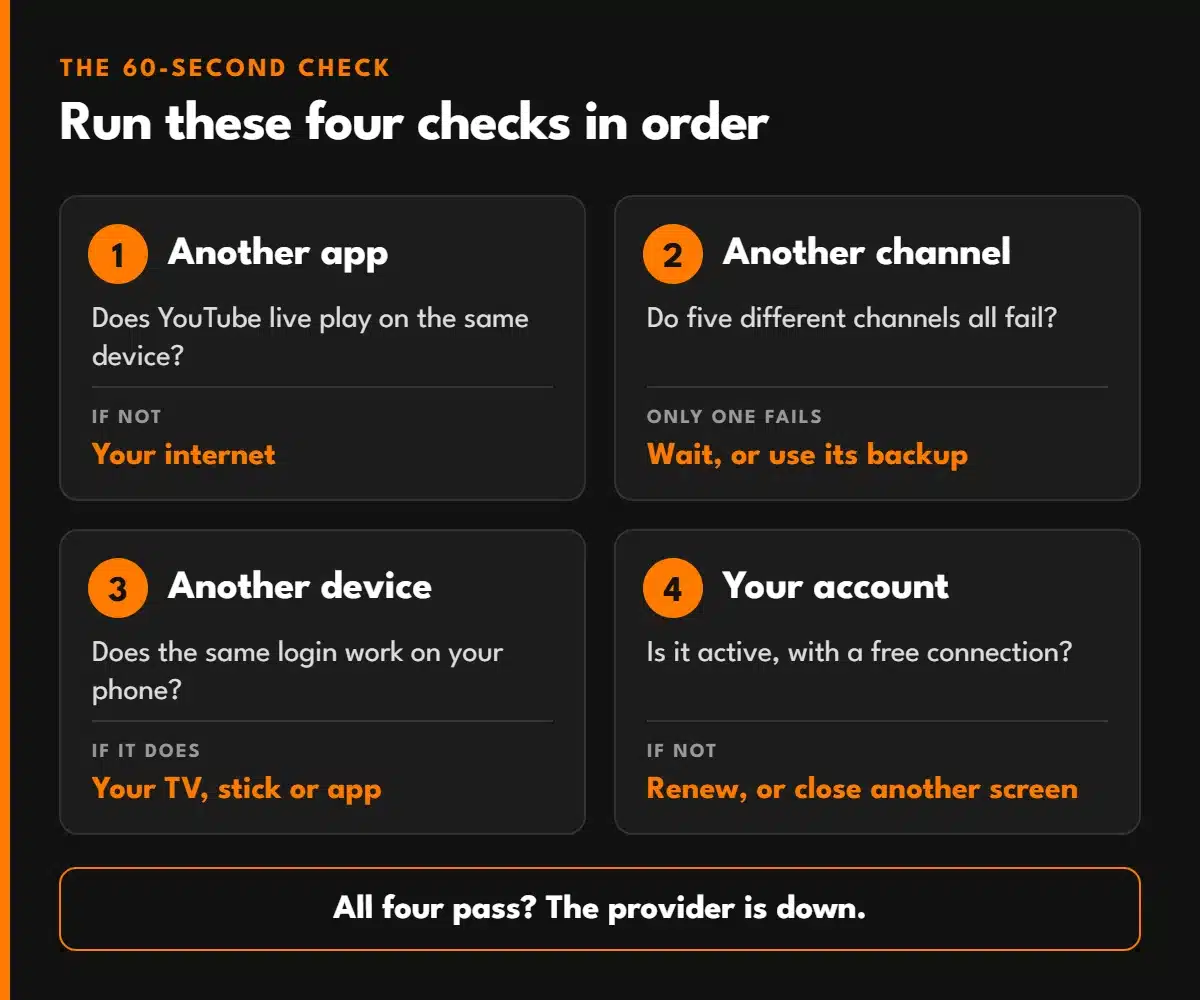
| Check | What to do | What it tells you |
|---|---|---|
| 1. Another app | Open YouTube or Netflix on the same device | If that fails too, the problem is your internet, not IPTV |
| 2. Another channel | Try five different channels, including one you rarely watch | One dead channel is normal maintenance. All of them failing points higher up |
| 3. Another device | Log in on your phone with the same details | If it works on the phone, the problem is your TV, stick or app |
| 4. Your account | Check the expiry date in your app or email | An expired or maxed-out account looks exactly like an outage |
If all four checks pass and nothing plays anywhere, the service is very likely down on the provider’s side. Skip to what to do when the provider is down.
Is your IPTV provider down again?
If this keeps happening, switching is quicker than another evening of checks. Keep your device and app: we send a new login on WhatsApp, usually within 5 minutes. Plans start at $13.99, with a full refund within 48 hours if it’s not for you.
See IPTV PlansAsk Us on WhatsAppLive TV is less forgiving than on-demand video. Netflix loads minutes ahead, so it can hide a weak connection that makes live channels freeze. That’s why the quick test is YouTube live or any live stream, not a film.
If live YouTube plays smoothly, your internet is fine. Move on.
A single channel going dark is routine: the source feed drops, a match is blacked out in one region, or the provider is swapping the stream to a backup. It usually comes back within minutes, and switching to the backup version of the channel (often labelled with the same name plus “HD”, “FHD” or “backup”) fixes it straight away.
When every channel fails at once, the cause is further up: your app, your account or the provider’s servers.
This is the check that saves the most time. Install a player app on your phone, log in with the same Xtream Codes details or M3U link, and open a channel.
Player apps occasionally break after an update, independent of your provider. If your usual app suddenly won’t log in but a different player works with the same details, the app is the problem, not the service. If the three login fields are new to you, our Xtream Codes guide explains what each one does.
Two account problems look exactly like an outage, and apps rarely tell you which one it is:
If your internet works, every channel fails, a second device fails too and your account is active, the problem is on the provider’s side. At that point, nothing you change at home will fix it.
One outage in months is normal for any service. Freezing every weekend during big events is not. If that’s the pattern, how to choose between IPTV service providers shows how to test the next one properly before you pay.
Tired of Checking Whether It’s Down?
Watch TV Direct runs on servers planned for match-night traffic, with real people on support when you need them. Not happy? Get a full refund within 48 hours, for any reason.
See Plans| Cause | How it shows up | Whose side |
|---|---|---|
| Peak-time overload | Freezing at kickoff or on Saturday evenings, fine the rest of the week | Provider |
| Server maintenance | Everything off for a short, scheduled window, usually at night | Provider |
| Source feed drop | One channel or one group of channels down | Provider or broadcaster |
| App update bug | One app stops logging in, others work | App developer |
| Account expiry or limit | Login error or “max connections” message | Your account |
| Weak or unstable connection | Buffering on live channels, on-demand still OK | Your home network |
Test the same login on a second device. If it fails on both and your internet works, the service is most likely down for everyone. If it works on the second device, the problem is your first device or app.
The service is up and the problem is local: the TV app needs its cache cleared, an update, or a reinstall. On older TVs and sticks, low storage is also a common cause.
That’s when the most people press play at once. Servers without enough capacity slow down or drop viewers exactly then. If it only happens during big events, the provider’s infrastructure is the bottleneck.
Planned maintenance usually takes minutes to an hour, and single-channel drops often recover within minutes. If a whole service is down for hours with no word from support, that tells you something about the provider.
Only when the problem is your connection. If the provider is down, restarting won’t help. Run the four checks first so you know which one it is.
© 2026 Watch TV Direct, Inc. All rights reserved.