


• Home
  • How Our IPTV Service Works

How Our IPTV Service Works

images images

From Order to Your First Channel in About 15 Minutes

How IPTV works — choose your plan on Watch TV Direct

Pick Your Plan

Choose 1, 2 or 3 devices and a length from 1 to 12 months. Start with one month if you want to test first. No contracts and no automatic renewals.
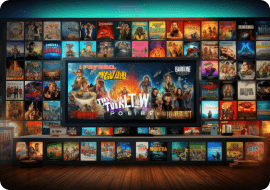
Instant activation of IPTV on Watch TV Direct

Get Your Login on WhatsApp

Our team sends your login details on WhatsApp, usually within 5 minutes and never more than 15, with setup steps for your device.
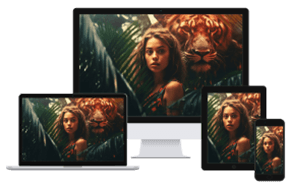
Watching live TV on multiple devices with Watch TV Direct

Install an App and Watch

Install a player such as TiviMate, IBO Player Pro or IPTV Smarters, enter your details and start watching. We guide you if you need it.


images
images

Find What You Want. Watch It. That's It.

Channels are grouped by country, language and category, with a TV guide that shows what's on now and next, and catch-up on supported channels. If a channel or app ever gives you trouble, our support team is one WhatsApp message away.

Continue To Pricing

How It Works – FAQs

Clear answers to common questions about setup, access, and getting started

You place your order, our team sends your login details on WhatsApp within 5 to 15 minutes, and you enter them in a player app on your TV, phone or computer. Most people are watching within minutes of their order.

None. If you can install an app from your TV's or phone's app store, you can set this up. We send step-by-step instructions for your device and stay on WhatsApp with you until your first channel plays.

We confirm your order on WhatsApp and send your login details: a server address, username and password (Xtream Codes), or an M3U link if your app needs one.

Your login details usually arrive about 5 minutes after your order is confirmed, and never more than 15. Installing the app and logging in takes a couple of minutes more.

Message us on WhatsApp and a real person replies. We help with setup, new devices and anything else that comes up for the whole length of your plan.

Yes. As soon as you log in, all 40,000+ channels, 200,000+ films and series, the TV guide and catch-up are available.

No new hardware. You only need a player app, such as TiviMate, IBO Player Pro, IPTV Smarters, Hot IPTV or XCIPTV, on a device you already own. We tell you which one suits your TV or phone.

Yes. Install the app on the new device and log in with the same details. Your plan sets how many devices can play at the same time: 1, 2 or 3.

Yes. Live channels run around the clock, films and series are on demand, and catch-up lets you watch programmes that already aired on supported channels.

Message us on WhatsApp. We don't send a link and disappear. We stay in the conversation until your first channel is playing.

Did not find your answer? Ask Here