October 19, 2026



 Written by Watch TV Direct
On a Samsung or LG smart TV, you set up IPTV in four steps. Install a player app such as IBO Player Pro or Hot IPTV from the TV’s app store. Write down the MAC address and device key it shows. Enter them with your login details on the app’s website from your phone. Then restart the app. The whole thing takes about ten minutes.
One thing surprises most people: TiviMate, the favourite on Firestick, isn’t available on Samsung or LG TVs. The apps that are available work a little differently, because you add your playlist from a website rather than typing it on the TV. Once you know that, setup is easy.
| Step | What you do | Time |
|---|---|---|
| 1. Install | Search the TV’s app store for IBO Player Pro or Hot IPTV and install it | 2 min |
| 2. Note two codes | Open the app and write down the MAC address and device key on the screen | 1 min |
| 3. Add your login | On your phone, go to the app’s official website and enter the codes plus your IPTV login | 3 min |
| 4. Restart | Close and reopen the app. Your channels and TV guide load | 2 min |
| App | Samsung / LG | Cost | Good to know |
|---|---|---|---|
| IBO Player Pro | Both | 7-day free trial, then a one-time lifetime activation of up to about $13 per TV | Clean layout, supports Xtream Codes and M3U, TV guide included |
| Hot IPTV | LG, most Samsung | 30-day free trial, then about $7 a year, or about $17 once for life, per TV | Simple and light, a good choice for older or slower TVs |
| IPTV Smarters Pro | Samsung; LG varies | Free | A familiar layout if you already use it on your phone |
The activation fee is paid to the app’s developer, not to your IPTV provider, and covers that one TV. Checked September 2026; app stores change, so availability can differ by country and TV model.
If you’re unsure which to pick, start with IBO Player Pro. It handles large channel lists well and shows a proper TV guide. For a full comparison of the most popular players, see TiviMate vs IPTV Smarters Pro.
Hot IPTV may appear as Hot Player in the store or once it opens. It’s the same app, so don’t let the name throw you.
If the app doesn’t appear, your TV’s region or model doesn’t list it. Try the other app from the table above before giving up.
When you open the app for the first time, it shows two codes on the screen:
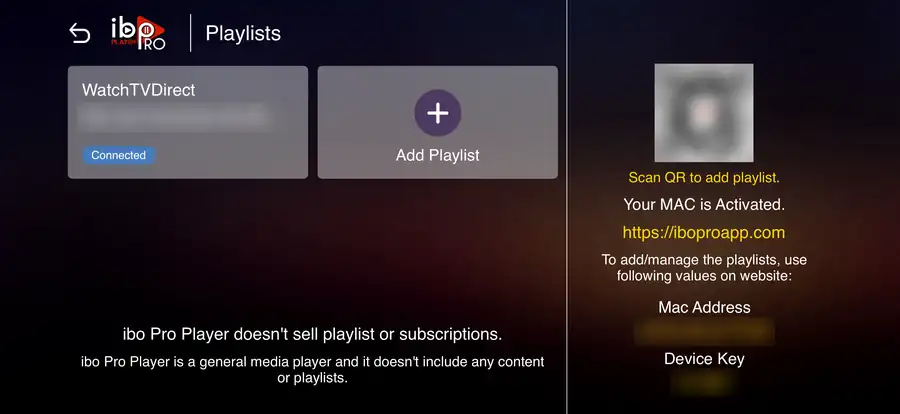
Take a photo of the screen with your phone so you don’t mistype them. These codes aren’t passwords to your TV or your bank. They only link your playlist to that one app on that one TV.
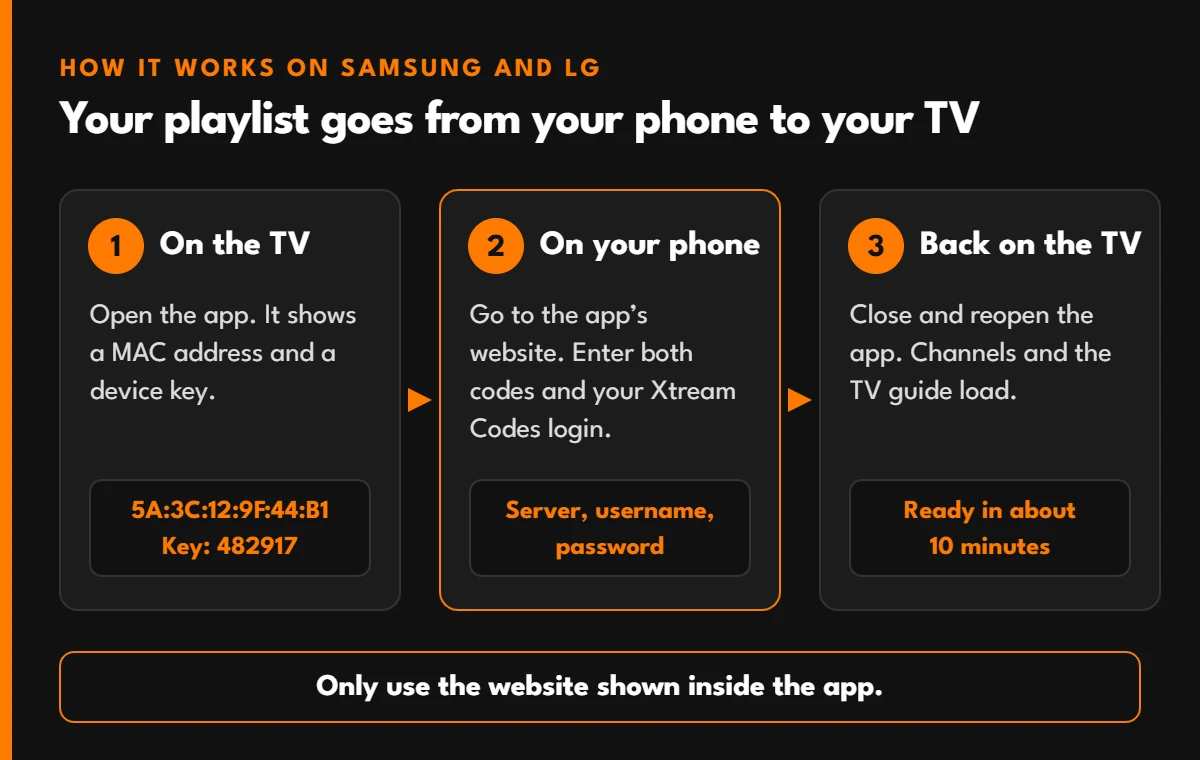
Open the app’s official website on your phone or computer. The address is shown on the TV screen next to the codes. Then:
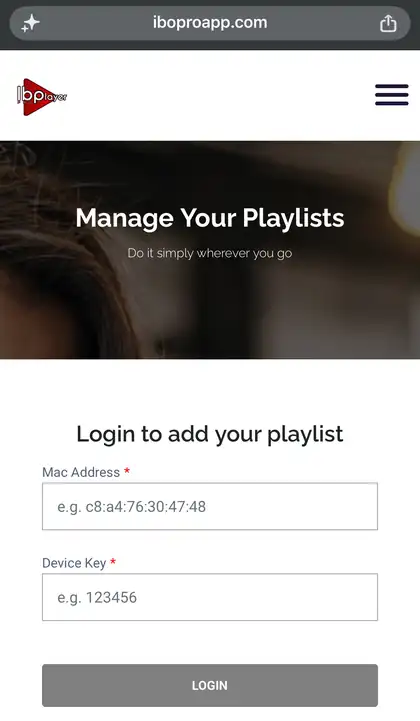
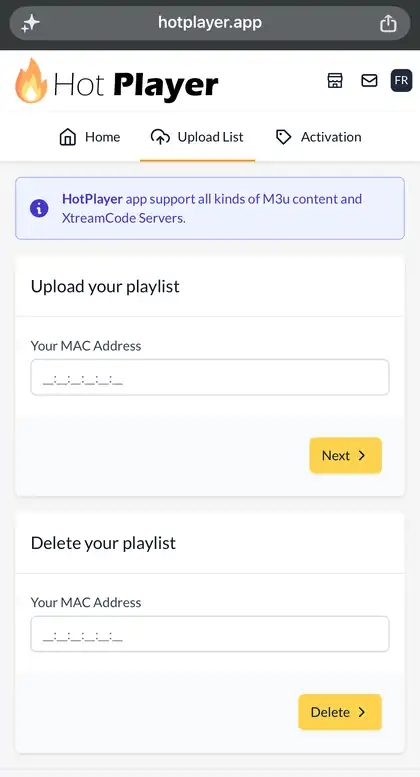
Xtream Codes is the better choice when both are offered, because the TV guide, catch-up and film posters load automatically. If you’re not sure what the three fields mean, our Xtream Codes guide explains each one.
Only use the website shown inside the app. Copies of these sites exist, and some ask for payment details they don’t need. The real site never asks for your TV’s password or your bank details to add a playlist.
Close the app completely and open it again. Your playlist appears on the home screen, and the channels and TV guide load within a minute or two the first time.
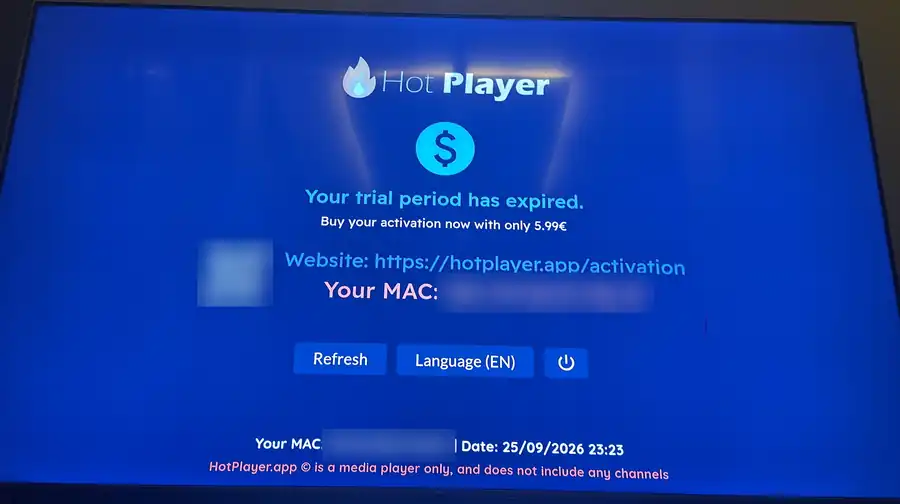
Before the free trial ends (7 days on IBO Player Pro, 30 days on Hot IPTV), the app asks you to activate. You pay the developer for that TV on their website: IBO Player Pro is a one-time fee, and Hot IPTV lets you choose a yearly or a lifetime licence. If you move the app to a second TV, that TV needs its own activation.
Samsung and LG apps work well on recent TVs, but a streaming stick is often smoother when:
A Firestick or an Android TV box plugs into any HDMI port. One caution for 2026: some of Amazon’s newest budget sticks run Vega OS, which can’t install these apps. Our Firestick guide explains how to check.
Setup Help on WhatsApp
Every Watch TV Direct plan includes Xtream Codes and M3U logins that work in IBO Player Pro, Hot IPTV and IPTV Smarters. Tell us your TV model on WhatsApp and we’ll walk you through it. Plans for 1, 2 or 3 devices.
| Problem | Likely cause | Fix |
|---|---|---|
| The app isn’t in my TV’s store | Not listed for your region or model | Try the other app, or use a streaming stick |
| Playlist doesn’t appear after adding it | App not restarted, or MAC address mistyped | Close the app fully, reopen it, and check the MAC address on the website |
| TV guide is empty | M3U login without a guide link | Re-add the playlist with Xtream Codes, or refresh the EPG in settings |
| “Trial expired” message | The free trial has ended | Activate the app for that TV on the developer’s website |
| Channels buffer on the TV but not the phone | Weak Wi-Fi at the TV | Use a network cable, or move the router closer. See why live streams buffer |
If nothing plays at all, run the 60-second outage check to see whether the problem is your internet, the app or the service.
No. TiviMate only runs on Android-based devices such as Firestick, Android TV and Google TV. On Samsung and LG, use IBO Player Pro, Hot IPTV or IPTV Smarters Pro instead, or plug in a streaming stick.
It is free for 7 days. After that you activate it once for that TV, and the activation lasts for life. It costs up to about $13, paid to the app’s developer, and covers the app only, not channels.
No. The app fee goes to the app’s developer. Your Watch TV Direct plan is separate and covers the channels, films and series you watch in the app.
Samsung and LG apps don’t have a comfortable way to type long logins with a remote. The MAC address tells the app’s website which TV to send your playlist to, so you can type everything on your phone instead.
Yes. Add the same login to an app on each device. How many can play at the same time depends on your plan: 1, 2 or 3 devices.
© 2026 Watch TV Direct, Inc. All rights reserved.