October 19, 2026



 Written by Watch TV Direct
IPTV (Internet Protocol Television) is TV delivered over the internet instead of through a cable, a satellite dish or an aerial. The channels are turned into data, sent across the internet in small pieces, and put back together by an app on your TV, phone, streaming stick or computer. To watch it you need three things: an IPTV subscription, a player app, and a steady internet connection.
That’s the short answer. The rest of this guide follows a live channel from the stadium to your sofa, step by step, and explains the things that actually affect what you see: why live streams run behind cable, what your internet really needs, which devices work, how the login works, and what to check before you pay for a service.
| In plain English | |
|---|---|
| What it is | Live TV channels, plus films and series, delivered over the internet |
| What replaces the dish or cable | Your broadband connection |
| What replaces the TV box | An app on a device you already own |
| What you get | Live channels, a TV guide, catch-up on some channels and a film and series library |
| How you log in | An M3U link, Xtream Codes, or your device’s MAC address |
| What it needs | About 10 Mbps of steady internet per screen for Full HD |
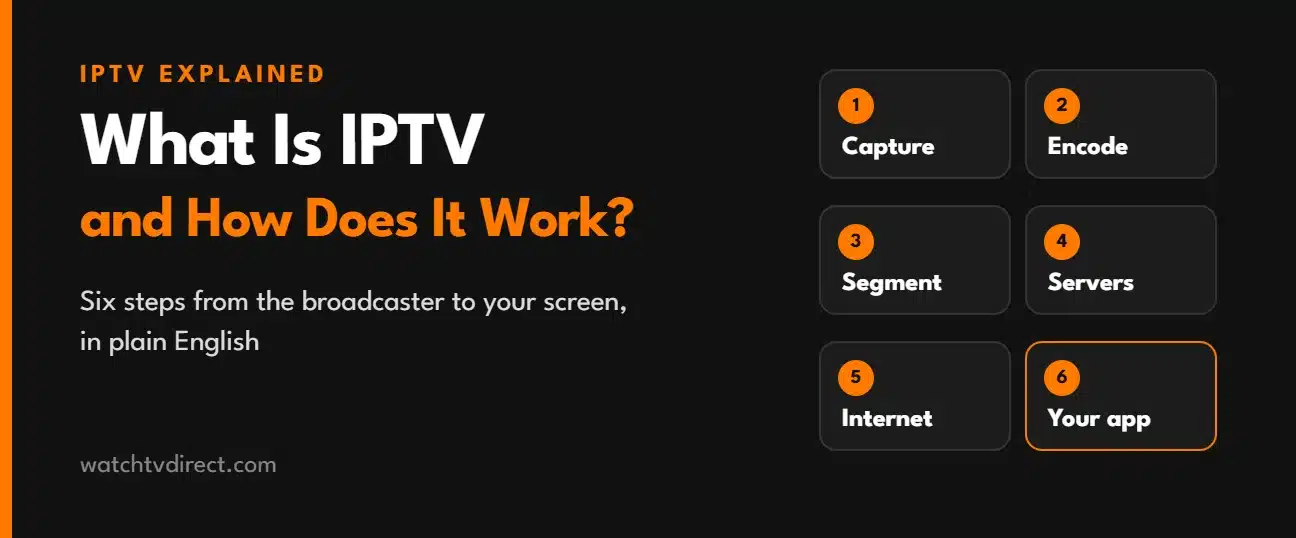
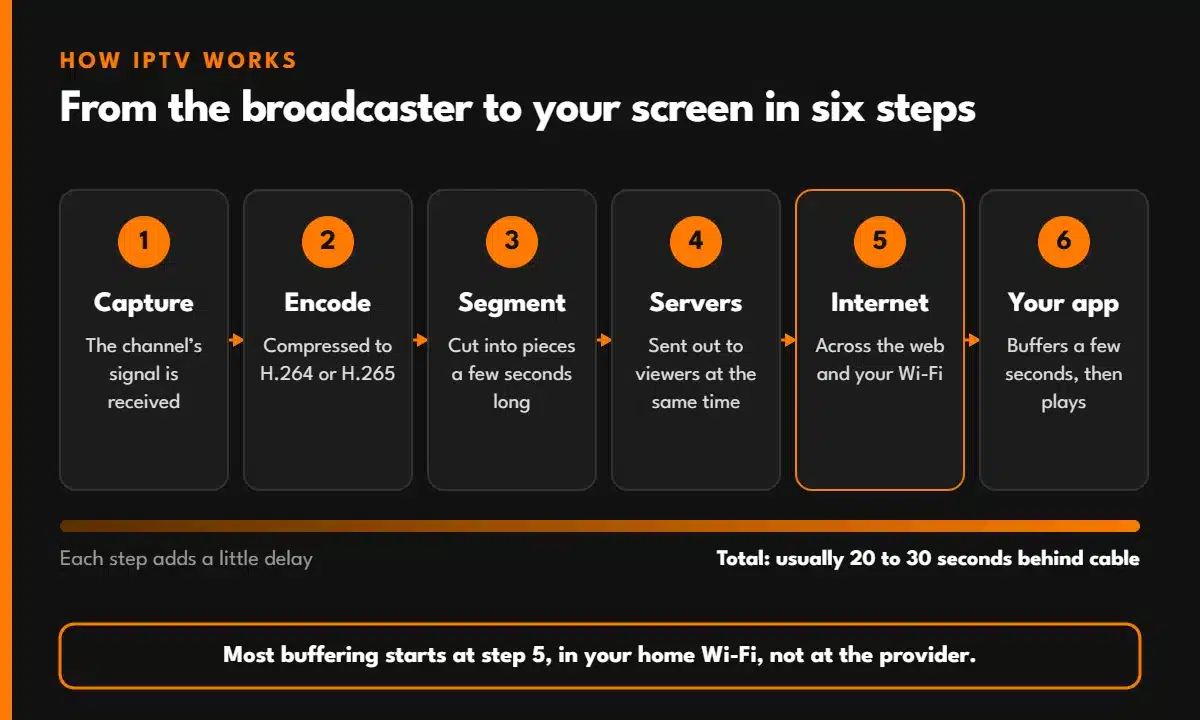
Every live channel takes the same six steps before it reaches you. Each one adds a little delay, which is why a live stream is never quite as “live” as the broadcast itself.
The service receives the channel’s signal, the same picture that goes out on satellite or cable. At this point it’s a single, very large video feed.
An encoder compresses the feed into a format that can travel over the internet, usually H.264 or the more efficient H.265 (HEVC). It often makes several versions at different qualities, so a slower connection can still play something.
The stream is split into segments a few seconds long and listed in a small index file. This is the HLS format, and it’s what the “m3u8” in some links refers to. Other services send one continuous stream in the older TS format instead. If you’ve seen output=ts or output=m3u8 at the end of a playlist link, this is the choice it’s making.
The pieces go to the provider’s servers and, with larger services, to extra servers closer to viewers. This is where a service shows how well it’s built: when tens of thousands of people press play at the same kickoff, every one of them is asking those servers for the same few seconds of video.
From the server, the data crosses the internet to your home and then over your Wi-Fi or network cable to the device. Most buffering problems start here, in the last few metres, not at the provider.
The player app downloads a few pieces ahead, decodes them and shows the picture. It keeps a small reserve, called the buffer, so a short dip in your connection doesn’t freeze the screen. If the reserve runs out, you see buffering.
Each step adds a few seconds: encoding, waiting for each piece to finish, sending it, and the reserve your app keeps. Together that usually adds up to somewhere around 20 to 30 seconds. It’s the same for big official streaming apps, not just IPTV.
For most viewing it doesn’t matter. For live sport it can: a neighbour’s cheer or a phone notification can spoil a goal before you see it. Turn off score alerts during a match, and don’t watch the same game on two different systems in one room.
With Watch TV Direct, that’s 40,000+ live channels from 92 countries and languages, and 200,000+ films and series, in one subscription. You can see every country and language on the channel list before you buy.
| IPTV | Cable or satellite | Streaming apps (Netflix and others) | |
|---|---|---|---|
| How it arrives | Your internet connection | A cable or a dish | Your internet connection |
| Live channels | Yes, thousands | Yes, depending on the package | Few or none |
| Films and series | Yes, a large library | Some, often extra | Yes, the main focus |
| Equipment | An app on a device you own | A provider’s box, often rented | An app on a device you own |
| Installation | None. You log in | Often an engineer visit | None |
| Contracts | Depends on the provider | Often 12 to 24 months | Usually monthly |
| Watch on several devices | Yes, by plan | Usually one box per TV | Yes, by plan |
There’s also a second kind of IPTV you may already have without calling it that: TV from your broadband company, delivered over its own private network to its own box. It uses the same technology but only works on that provider’s line and equipment. The services this guide is about run over the open internet, so they work on any connection and any device.
Almost anything with a screen and an app store works: Samsung and LG smart TVs, Android TV and Google TV, Firestick, iPhone and iPad, Android phones and tablets, and Windows or Mac computers. On a TV more than five or six years old, a streaming stick usually runs more smoothly than the TV’s own apps.
The IPTV service gives you the channels. A player app shows them. Popular choices are TiviMate, IPTV Smarters Pro and IBO Player Pro, and TiviMate vs IPTV Smarters Pro helps you choose. On Samsung and LG TVs the process is a little different, and our Samsung and LG setup guide shows each screen.
| Quality | Steady speed per screen | Comfortable with headroom |
|---|---|---|
| HD (720p) | 3 Mbps | 6 Mbps |
| Full HD (1080p) | 5 Mbps | 10 Mbps |
| 4K | 15 Mbps | 25 Mbps or more |
Add the figures together for each screen watching at the same time. Live sport needs a little more than a film, because fast movement takes more data.
Steady matters more than fast. A connection that holds 30 Mbps all evening plays better than one that touches 200 Mbps and keeps dropping. A network cable to the TV or stick fixes more problems than a faster plan. Why live streams buffer explains how to check yours.
When you subscribe, the provider sends your login in one of three forms. They all give you the same channels:
Your plan sets how many screens can play at the same time. You can install the app on as many devices as you like, but if more of them play at once than your plan allows, one of the streams stops.
The technology is legal. It’s how many broadband companies and official streaming services deliver TV every day. Whether a particular IPTV service is legal depends on whether it has the rights to the channels it carries, and the rules and how they’re enforced differ from country to country.
Before you pay any service, check that it has a real website and a way to reach a person, clear prices, a written refund policy, and that it doesn’t ask for unusual payment methods. If you’re unsure about the rules where you live, check your local regulations. This isn’t legal advice.
Channel counts are easy to inflate and hard to check. These are better signs:
Our guide to comparing IPTV service providers goes through each check in detail.
Try IPTV the Simple Way
Watch TV Direct gives you 40,000+ live channels and 200,000+ films and series in standard apps like TiviMate and IPTV Smarters Pro. A real person sends your login on WhatsApp, usually within 5 minutes, and helps you set up. Full refund within 48 hours if it’s not for you.
See IPTV Plans| Term | What it means |
|---|---|
| EPG | The TV guide: what’s on now and next on each channel. When it doesn’t work |
| M3U / M3U8 | A playlist format: a list of channels and the address of each stream |
| Xtream Codes | A login made of a server address, a username and a password |
| HLS | A way of sending video in short pieces, used by most streaming today |
| TS | An older format that sends one continuous stream, common on TV apps |
| H.264 / H.265 (HEVC) | Video compression formats. HEVC gives the same picture with less data |
| Buffer | The few seconds of video your app keeps in reserve |
| Catch-up | Watching programmes that have already been broadcast, on supported channels |
| VOD | Video on demand: films and series you start whenever you like |
| Connections or screens | How many devices can play at the same time on one plan |
Internet Protocol Television. Internet Protocol (IP) is the method every device uses to send data over the internet, so IPTV simply means television sent the same way.
No. A smart TV, streaming stick, phone, tablet or computer with a player app is enough. A box or stick only helps when the TV itself is old or slow.
For most people, yes. You get live channels, sport, news and a film library on every device, without a dish, an engineer visit or a rented box. What you need instead is a steady internet connection.
Usually because the connection to your device isn’t steady, most often weak Wi-Fi at the TV. Less often, the provider’s servers are overloaded at busy times. A network cable and a restart solve most cases.
Not quite. Netflix is mostly on-demand. IPTV is mainly live TV channels, usually with a film and series library as well.
Yes. Log in from anywhere with a good internet connection. Hotel Wi-Fi is often slow, so quality can drop, and your plan’s screen limit still applies.
© 2026 Watch TV Direct, Inc. All rights reserved.