October 19, 2026




 Written by Watch TV Direct
Live streams buffer when video data doesn’t reach your device as fast as it’s being played. On-demand apps such as Netflix hide short slowdowns by loading minutes of video in advance. A live channel can only load a few seconds ahead, so a brief dip in your Wi-Fi, your device or the server shows up as a frozen picture.
The good news is that the cause is usually easy to find. Where and when the buffering happens tells you most of what you need to know, and the fix is often free: a cable instead of Wi-Fi, a restart before the match, or a lower quality setting.
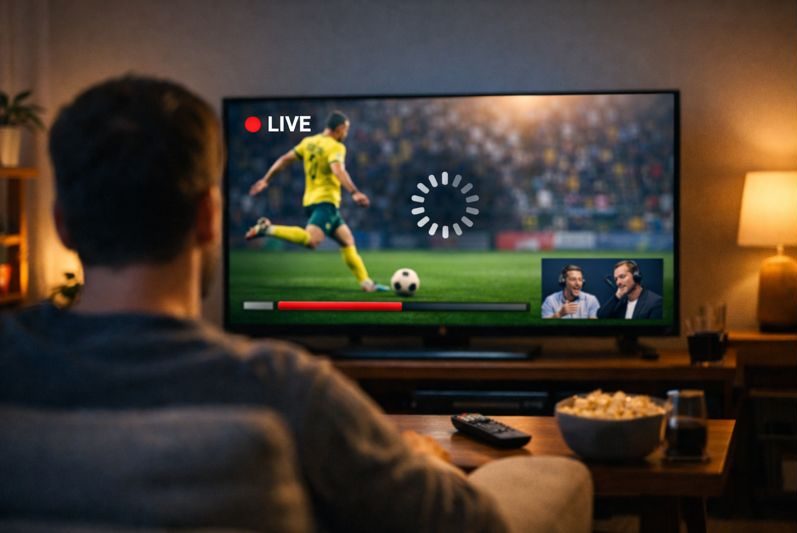
Match what you’re seeing to the closest row. It points you to the right fix instead of trying everything at once.
| What you notice | Most likely cause | What to do |
|---|---|---|
| Buffers on the TV, fine on your phone | Weak Wi-Fi where the TV is, or a slow device | Use a network cable, or move the router or add a mesh point near the TV |
| Buffers on every device in the house | Your internet connection or router | Restart the router, pause downloads and backups, test again |
| Only at busy times, such as evenings or big matches | Congestion on your provider’s network or the stream’s server | Lower the quality a step. If it happens every evening, contact your provider |
| Only one or two channels | A problem with that channel’s source | Try the channel’s backup version if your list has one, or wait a few minutes |
| Picture freezes, then skips ahead | Short drops in your connection | Check Wi-Fi first. Then try a larger buffer in your player’s settings |
| Started after a new app or device | Player settings or a slow device | Compare with another player app on the same login |
If nothing plays at all rather than buffering, that’s a different problem. The 60-second outage check tells you whether it’s your internet, your app or the service.
On-demand video is already finished and stored on a server, so the app can download well ahead of what you’re watching. If your connection drops for five seconds, you never notice, because the app is playing from what it already saved.
A live channel is being created as you watch it. Your player can only hold a few seconds of video ahead of the picture on screen, so there’s very little in reserve. Any interruption longer than that reserve stops playback. It’s also why a live stream usually runs a little behind cable or satellite: the picture is cut into short pieces and sent one after another, and each piece has to arrive in time. For a closer look at that chain, see how IPTV works.
A speed test measures your best moment. Live video needs a steady flow every second. A 200 Mbps connection that keeps dropping to almost nothing for a second at a time will buffer more than a steady 30 Mbps line. Run a speed test three or four times in a row. If the results jump around a lot, or the ping changes sharply, stability is your problem.
This is the cause we see most often. The TV sits in another room, behind a wall or cabinet, and gets a fraction of the speed your phone gets next to the router. A network cable fixes it completely. If a cable isn’t practical, connect to the 5 GHz network rather than 2.4 GHz, move the router higher and more central, or add a mesh point near the TV.
Older smart TVs and first-generation streaming sticks have little memory. After hours of use, or with several apps open in the background, they struggle to decode live video smoothly. A full restart clears this. If your TV is more than five or six years old, a newer streaming stick often solves buffering that no network change will fix.
During a big final or on a Saturday evening, far more people are watching at once. A well-run service plans for that; a poorly run one slows down. If your buffering only appears at the same busy times, and your connection tests fine, the bottleneck is probably on the provider’s side.
Some internet providers slow down video traffic at busy times. A VPN can get around that, but it also adds an extra step between you and the stream, which on its own can cause buffering. The simple test: try the same channel with the VPN on and off. Keep whichever setting plays better.
Netflix recommends 5 Mbps for Full HD and 15 Mbps for 4K. Live sport needs a little more, because fast motion takes more data, and you want spare room for dips. As a rough guide per screen:
| Quality | Steady speed per screen | Comfortable with headroom |
|---|---|---|
| HD (720p) | 3 Mbps | 6 Mbps |
| Full HD (1080p) | 5 Mbps | 10 Mbps |
| 4K | 15 Mbps | 25 Mbps or more |
Minimums based on Netflix’s published recommendations. Add the figures together for each screen watching at the same time, plus whatever else your household is using.
If two people watch Full HD while someone else is on a video call, plan on 25 Mbps or more of steady speed, not peak speed.
Start at the top. Most people are sorted by step three.
A few settings inside IPTV player apps make a real difference:
If you’re choosing an app in the first place, TiviMate vs IPTV Smarters Pro compares the two most popular ones. For Firestick-specific problems, see IPTV not working on Firestick.
You’ve done everything above and it still buffers. These signs point to the service rather than your setup:
A good provider will want to know the channel name, the time and your device, so they can check the stream on their side. If it happens often and never improves, it may be worth comparing IPTV providers on the checks that matter.
Still Buffering? Tell Us
Send our team the channel, the time it happened and your device on WhatsApp, and we’ll check the stream from our side. Every Watch TV Direct plan includes setup help, for 1, 2 or 3 devices.
See PlansBecause live video needs steady speed, not high speed. A connection that dips for a second at a time will buffer however fast it tests. Wi-Fi at the TV is the most common reason, so try a network cable first.
More people are online and watching at the same time, which can slow down your internet provider’s network or the stream’s server. Lowering the quality one step usually helps. If it happens every evening, it’s worth raising with your provider.
Sometimes. If your internet provider slows down video traffic, a VPN can help. In most other cases it adds a little delay and can make buffering slightly worse. Test the same channel with it on and off.
Only if your current speed is genuinely too low for the number of screens you use. For most homes, a network cable or a better Wi-Fi setup helps more than a faster plan.
That points to the channel’s source, not your setup. Try the backup version of the channel if your list has one, or come back in a few minutes.
© 2026 Watch TV Direct, Inc. All rights reserved.